Schlagwort: microsoft
-

Game City: Xbox One und Xbox 360 bieten umfassende Unterhaltung für Gamer als auch die ganze Familie
Reading Time: 5 minutesGame City steht vor der Tür: Xbox stellt Xbox One und umfangreiches Xbox 360 Line-Up vor Ab kommendem Freitag findet die siebte Game City im Wiener Rathaus statt und Xbox ist mit einem umfangreichen Angebot für Gamer jeden Alters vor Ort! Neben der Österreich-Premiere der Xbox One und Xbox One Blockbuster-Titeln wie…
-

Verlockende Xbox 360 Paket-Angebote mit FIFA 14, HALO 4, TOMB RAIDER und KINECT SPPORTS: SEASON 2 kommen in den Handel
Reading Time: 3 minutesBunt wie der Herbst sind die neuen Xbox 360 Konsolen-Angebote: Am 26. September ist Anpfiff für das Xbox 360 250GB Paket inkl. FIFA 14! Mit bunten Blättern und frischer Herbstluft zieht eine neue Jahreszeit ins Land. Während es draußen regnet und die Temperaturen sinken, bietet Xbox 360 mit seinem umfangreichen Angebot…
-
Game City’13: Mögen die Spiele beginnen!
Reading Time: 3 minutesNext-Gen ist jetzt Die neue Spielegeneration wird am 22. November mit Xbox One beginnen. Dennoch bieten wir Zockern in Österreich die einmalige Gelegenheit, die Next-Gen bereits zwei Monate (!) vor dem Marktstart hautnah zu erleben. Dazu haben wir Stationen mit dem Römerepos Ryse: Son of Rome, der besten Rennsimulation Forza 5, dem…
-

Users of older Xbox 360s report GTA V crashes their console
Reading Time: 2 minutesGrand Theft Auto V appears to crash on older models of the Xbox 360, according to multiple user reports. For example, this thread in the -unofficial- gtaforums.com, is full of users reporting issues with the game, and, they have something in common: Xbox 360 models manufactured (or refurbished) between 2006 and 2008. „I’ve probably reinstalled…
-

Almost 40% of Xbox Live audience is female
Reading Time: 2 minutesCOO for Microsoft, Mr. Kevin Turner made some comments recently that Xbox Live ‚audience‘ is made up of 40 percent of ‚females‘ now, and also 42% of Xbox Live members watch more then 30 hours of digital TV and Movies on their Xbox 360 console. Of course no data was supplied for…
-

FORZA MOTORSPORT 5 FilmSpeed Kurzfilm zeigt schnellstes Kamera-Auto
Reading Time: 2 minutesIn Zusammenarbeit mit McLaren Automotive und dem legendären Stuntfahrer Tanner Foust hat FORZA MOTORSPORT 5 eines der schnellsten Kamera-Autos der Welt kreiert, welches benutzt wurde, um FORZA FilmSpeed – ein temporeicher Zoetrope-basierter Kurzfilm – zu produzieren. Es werden Geschwindigkeiten von über 190 km/h erreicht und der Film zeigt Szenen aus dem kommenden…
-

XBOX One bei der Game City spielen: Xbox mit umfangreichem Angebot vor Ort
Reading Time: 4 minutesXbox One feiert auf der Game City Österreich-Premiere! Xbox bietet abwechslungsreiches Programm für alle Gaming-Fans im Wiener Rathaus Am 27. September eröffnet die Game City zum siebten Mal in Folge ihre Pforten und enthüllt eine aufregende Welt der digitalen Unterhaltung. Das Wiener Rathaus wird erneut in die Must-Go Location für alle Spielefans…
-

How to Remove “Branding Logo” and “Ease of Access” (Accessibility) Button from Windows Vista and 7 Login Screens?
Reading Time: 2 minutesSo here we start the tutorial: 1. We’ll need to edit „%windir%\System32\authui.dll“ file. First copy authui.dll file from „System32“ folder to some other location for example Desktop. Note: here %windir% represents „Windows“ directory which can be found in the system drive where Windows is installed. In most of the cases its C:\Windows. 2. Now open the new…
-

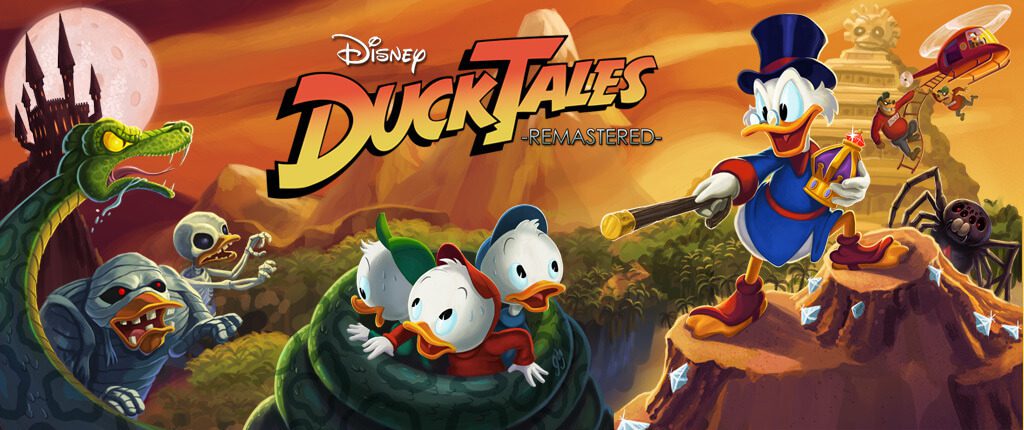
DUCKTALES REMASTERED diese Woche neu im Xbox Games Store
Reading Time: 3 minutesDUCKTALES REMASTERED diese Woche neu im Xbox Games Store Österreichs beliebteste Xbox Live Arcade Games und brandneue Games on Demand sowie Blockbuster Filme im Xbox Video Store Ab sofort steht eine handgemachte Neubearbeitung des Klassikers DUCKTALES REMASTERED für alle Retro-Fans bereit. DUCKTALES REMASTERED Goldenes Zeitalter der Computerspiele: DUCKTALES REMASTERED ist einer der…