Arduino Core on Zephyr 1.0.0 is here!

> INITIATING DECRYPTION SEQUENCE...
We’re excited to announce version 1.0.0 of the ArduinoCore-Zephyr, our biggest release yet. Building on the stability milestone we hit with 0.90.0, this release brings new hardware support, an updated Zephyr base, and a long list of fixes and improvements across the core.
Thank you to everyone who tested 0.90.0, filed issues, and helped us get here. This one’s for the community. Let’s dive into what the new version has to offer!
Now supporting the Arduino® VENTUNO Q board
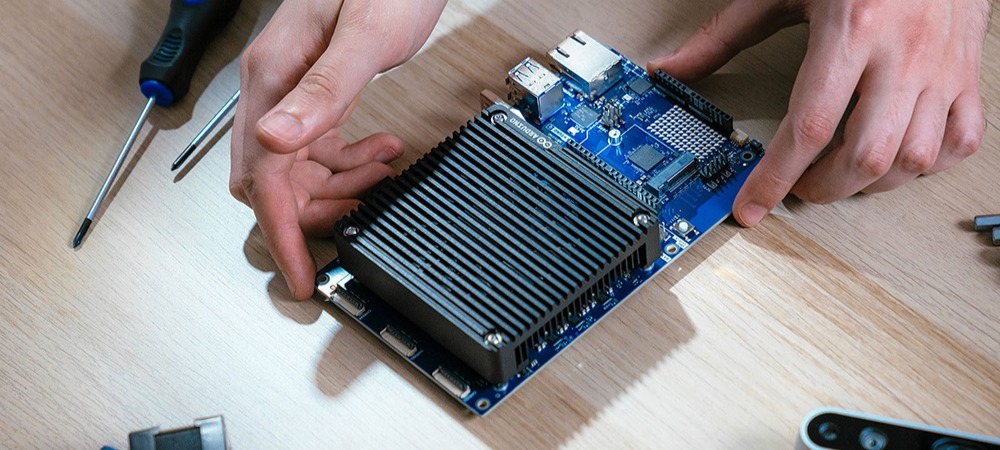
VENTUNO Q now runs on Arduino Core-Zephyr. Our latest board pairs a Qualcomm Dragonwing IQ-8275 SoC with an STM32H5F5 real-time MCU, and with this release the STM32 side is structured to provide full Zephyr support, aiming to give VENTUNO Q developers the same deterministic, real-time control that Zephyr already brings to the rest of the Arduino lineup. If you’re building physical AI applications like robotics or industrial automation on VENTUNO Q, you can now pair the board’s AI compute with Zephyr’s real-time capabilities on the MCU side.
Updated to Zephyr 4.4.1
ArduinoCore-Zephyr now runs on Zephyr 4.4.1, incorporating the latest upstream improvements, security fixes, and driver support across supported Arduino boards.
Camera support for the Arduino® Nicla Vision module
Camera support is now enabled for Nicla Vision. You can capture and process image data directly through the Zephyr core, opening the door to on-device vision applications like object detection and image classification on one of our smallest boards.
Bug fixes and cleanup
Alongside the new features, this release includes a substantial round of bug fixes and internal cleanup across the core, aiming to improve stability and consistency for all supported boards. Full details are in the release notes on GitHub.
Full hardware compatibility list
- Arduino® UNO Q board
- Arduino® VENTUNO Q (New!)
- Arduino® Portenta H7 board
- Arduino® Portenta C33 board
- Arduino® Opta microPLC
- Arduino® GIGA R1 WiFi board
- Arduino® Nano Matter board
- Arduino® Nano RP2040 Connect board
- Arduino® Nano 33 BLE board
- Arduino® Nicla Sense ME module
- Arduino® Nicla Vision module
How to get started
Open the Arduino IDE, search for “zephyr” in the Board Manager, and install version 1.0.0. If you’re new to the Zephyr core, our step-by-step setup guide walks you through flashing the loader for the first time.
Thank you!
The 1.0.0 version marks a major step for Arduino on Zephyr, and it wouldn’t have been possible without the community that helped us get here from 0.90.0. Check out the full release notes on GitHub, report any issues you find, and keep building.
Qualcomm branded products are products of Qualcomm Technologies, Inc. and/or its subsidiaries.
Arduino, GIGA R1, Nano, Nicla, Opta, Portenta, and UNO are trademarks or registered trademarks of Arduino S.r.l.
The post Arduino Core on Zephyr 1.0.0 is here! appeared first on Arduino Blog.
Website: LINK